

Mobile Lighting Trailer Supplier
How to debug Solar Surveillance Trailer
Solar-powered surveillance trailers have become an essential tool in various industries including construction, law enforcement, and event management. These mobile units provide a sustainable and flexible solution for monitoring remote locations without the need for constant power supply. However, as with any piece of technology, solar surveillance trailers may encounter issues that require debugging. This article will provide a comprehensive guide on how to commission a solar surveillance trailer to ensure it operates efficiently and effectively.
Understand the components of a solar surveillance trailer
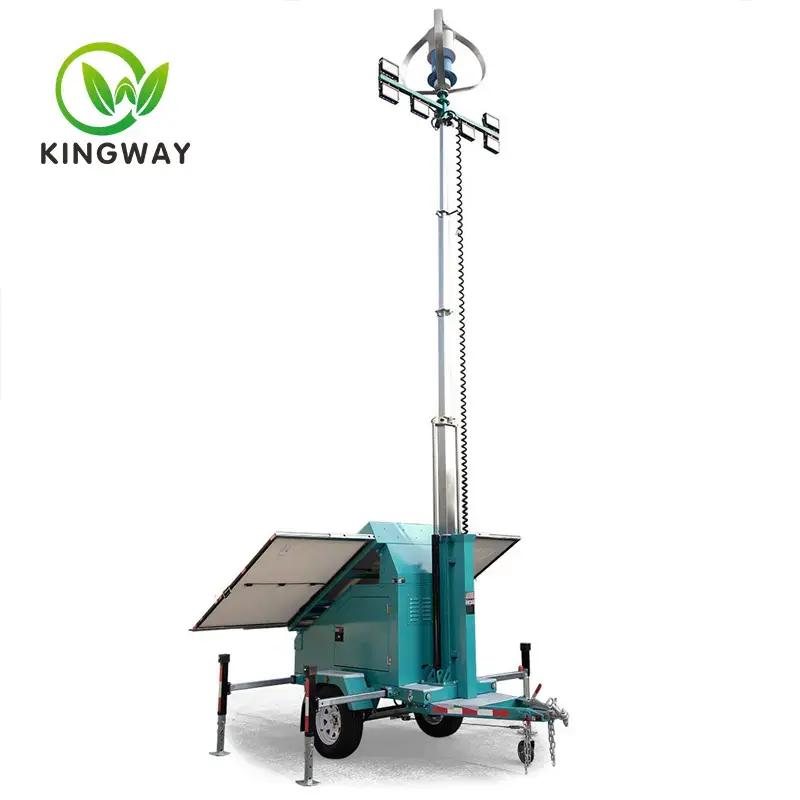
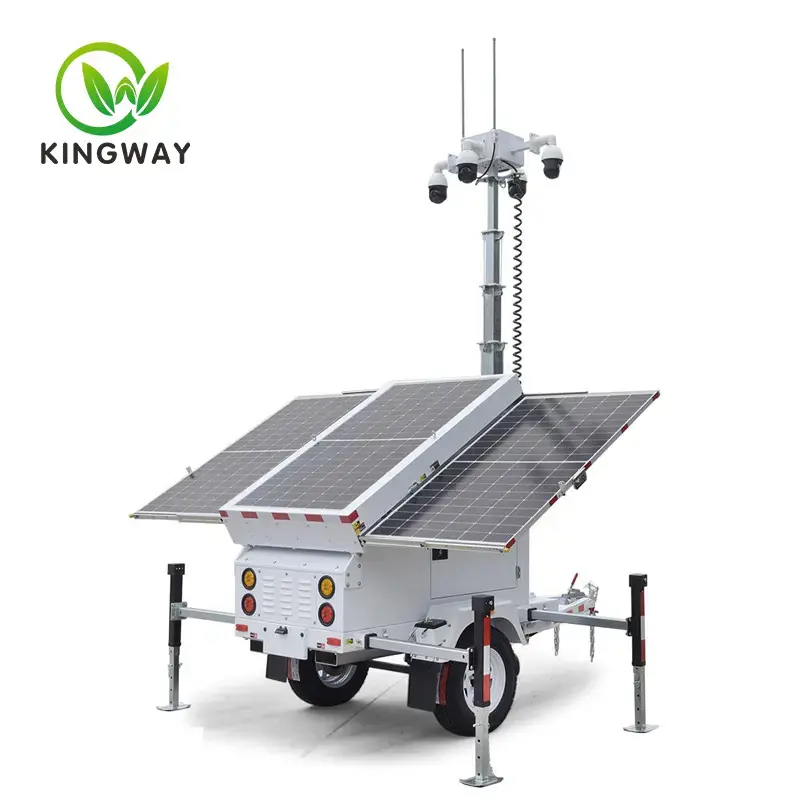
Before diving into the commissioning process, it is crucial to understand the main components of a solar surveillance trailer. These usually include:
- Solar Panel: Convert sunlight into electrical energy.
- Battery Pack: Stores the energy generated by solar panels.
- Charge Controller: Regulates the voltage and current from the solar panel to the battery.
- Inverter: Converts the DC power of the battery into AC power of the monitoring device.
- Monitoring equipment: cameras, sensors and communication equipment.
- Control unit: manages the operation of monitoring equipment and stores data.
Common problems and how to debug them
1. Solar panel not charging battery
Symptom: The battery pack is not charging, or is low on power.
Possible reasons:
- The solar panel is dirty or damaged.
- Wrong wiring or connection.
- Charge controller failure.
Debugging steps:
- Inspect Solar Panels: Check for dirt, debris, or physical damage. If necessary, clean the panel with a soft cloth and mild detergent.
- CHECK WIRING: Make sure all connections between the solar panel, charge controller and battery pack are tight and free of corrosion.
- Test the Charge Controller: Use a multimeter to measure the voltage output of the charge controller. If the output is inconsistent or zero, the charge controller may need to be replaced.
2. The battery cannot be charged
Symptoms: Battery drains quickly or won’t charge.
Possible reasons:
- Old or damaged batteries.
- Overcharging or undercharging.
- Monitor high power consumption of equipment.
Debugging steps:
- Test the Batteries: Use a battery tester to check the health of each battery. Replace any battery that shows signs of wear or damage.
- Check Charge Controller Settings: Make sure the charge controller is set to the correct parameters for your battery type. Incorrect settings may result in overcharging or undercharging.
- Monitoring power consumption: Evaluate the power consumption of monitoring equipment. If consumption is too high, consider upgrading to more energy-efficient equipment or adding additional solar panels and batteries.
3. Inverter problem
Phenomena: The monitoring equipment is not powered on, or the power supply is unstable.
Possible reasons:
- Inverter failure.
- Inverter settings are incorrect.
- The inverter is overloaded.
Debugging steps:
- Inspect the Inverter: Check for any obvious signs of damage or wear. Make sure all connections are secure.
- Test Output: Use a multimeter to measure the AC output of the inverter. If the output is inconsistent or zero, the inverter may need to be replaced.
- Check Load: Make sure the total power consumption of the monitoring device does not exceed the capacity of the inverter. If necessary, upgrade to a higher capacity inverter.
4. Monitoring equipment failure
Symptoms: Cameras, sensors, or communication devices are not functioning properly.
Possible reasons:
- Faulty or outdated equipment.
- Software issues.
- Poor network connection.
Debugging steps:
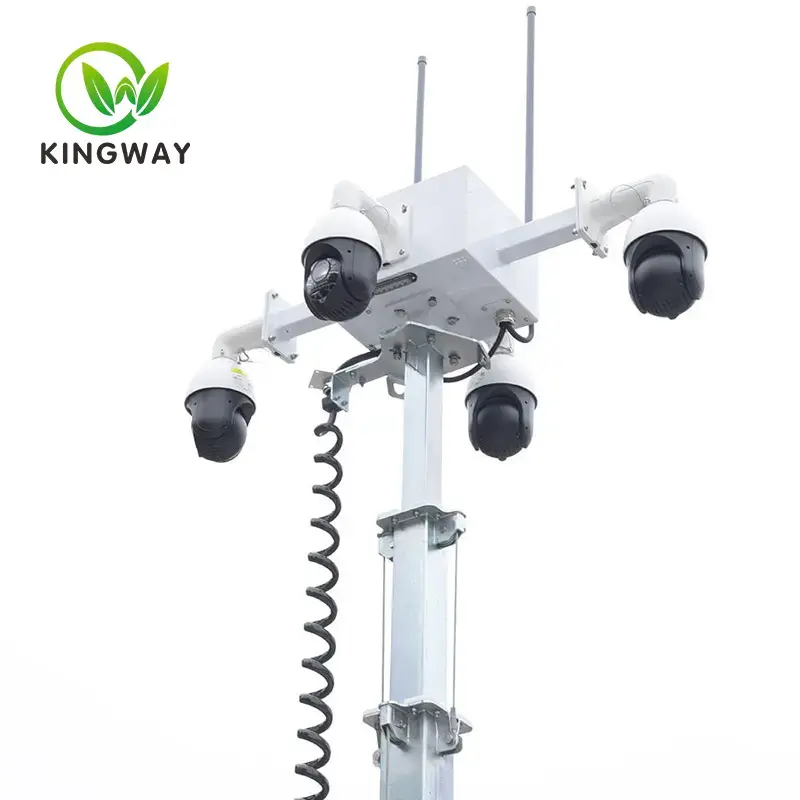
- Inspect Equipment: Check for any obvious signs of damage or wear. Make sure all connections are secure.
- Update Software: Make sure all firmware and software are up to date. Manufacturers frequently release updates to fix bugs and improve performance.
- Test Network Connection: Make sure the trailer has a stable internet connection. If using cellular data, check signal strength and consider upgrading to a better data plan or adding a signal booster.
5. Control unit problem
Symptoms: The control unit is unresponsive or displays an error.
Possible reasons:
- Software or firmware issues.
- Hardware failure.
- Power supply problem.
Debugging steps:
- Reboot the Control Unit: Sometimes, a simple reboot can resolve minor software glitches.
- Update Firmware and Software: Make sure the control unit’s firmware and software are up to date.
- Check Power Supply: Make sure the control unit receives stable power supply. Test the power input with a multimeter and check for any loose connections.
Preventive Maintenance Tips
Regular maintenance can help prevent many of the problems mentioned above. Here are some tips for keeping your solar surveillance trailer in tip-top shape:
- Clean your solar panels regularly: Dust, dirt, and debris can reduce the efficiency of your solar panels. Clean them regularly to ensure maximum energy production.
- CHECK WIRING AND CONNECTIONS: Regularly inspect all wiring and connections for signs of wear, corrosion, or damage. Replace any faulty components immediately.
- Monitor Battery Health: Test batteries regularly and replace them as needed. Make sure the charge controller is set to the correct parameters to prevent overcharging or undercharging.
- Update Software and Firmware: Keep all software and firmware up to date to ensure that monitoring equipment and control units operate efficiently.
- Check Power Consumption: Monitor the power consumption of surveillance equipment and make adjustments as needed to ensure the system is operating within its capacity.
in conclusion
Commissioning a solar surveillance trailer can be a complex task, but with a systematic approach and a good understanding of the components involved, most problems can be solved effectively. Regular maintenance and monitoring are key to preventing problems and ensuring your trailer is operating at peak performance. By following the steps outlined in this guide, you can keep your solar surveillance trailer running smoothly and efficiently, providing reliable surveillance for your remote locations.